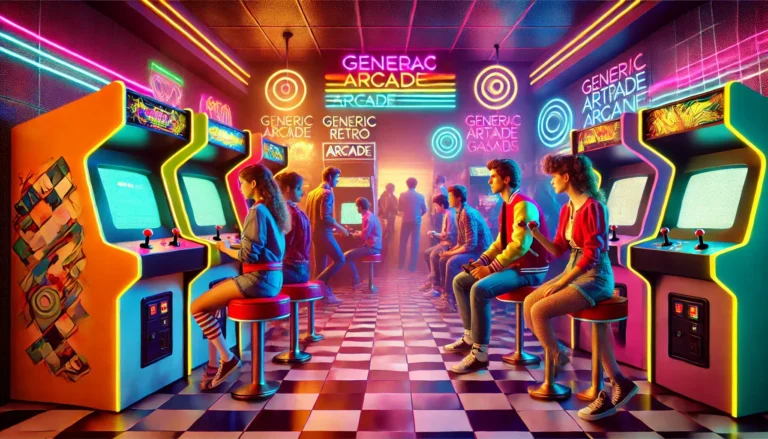
Google Block Breaker is a Breakout-style arcade game designed for quick browser play. The game puts a paddle at the bottom of the screen and sends a ball toward rows of blocks. Your job is to keep the ball in play, destroy the blocks, and progress while protecting your remaining lives.
Google’s Block Breaker appeared in Search as an interactive Easter egg in January 2025. Contemporary reports described it as a playable Breakout-inspired game available through Google Search on desktop and mobile.
If you are looking for a quick game, the basic idea is simple: launch the ball, move the paddle, break the blocks, collect useful bonuses, and avoid letting the ball pass your paddle.
What Is Google Block Breaker?
Google Block Breaker is a modern take on the classic brick-breaking arcade formula associated with Atari’s Breakout.
The player controls a horizontal paddle while a ball moves around the play area. When the ball hits a block, that block can be destroyed, allowing the player to clear the board and continue.
The appeal comes from the combination of simple controls and increasingly demanding reactions. You don’t need a long tutorial to understand the objective, but controlling the ball effectively becomes harder as the action speeds up.
Google’s version also adds elements that make the traditional formula more interesting, including special bonuses and additional gameplay effects. Contemporary coverage reported features such as extra balls, paddle extensions and other power-ups.
How to Play Google Block Breaker
The basic gameplay can be learned in seconds.
1. Start the game
Search for “block breaker” in Google Search when the interactive game is available to you.
The game interface provides a Play option that starts the session. The exact presentation can vary depending on the platform and availability.
2. Launch the ball
Once the game begins, the ball moves toward the blocks.
Your goal is to keep it from falling below the paddle.
3. Move the paddle
Move the paddle horizontally so it meets the ball.
The location where the ball contacts the paddle influences its subsequent direction, so paddle placement is more important than simply moving left and right as quickly as possible.
4. Break the blocks
Every successful rebound can send the ball back into the block field.
As blocks disappear, openings develop and the ball can reach areas that were previously protected.
5. Protect your lives
If the ball passes your paddle, you lose a life.
Once your available lives are exhausted, the run ends.
6. Use bonuses intelligently
Special items can provide temporary advantages. Catching them at the right moment can make difficult sections easier and help you maintain your run.
Google Block Breaker Controls
Controls can vary slightly depending on the version or platform, so use the controls displayed by the game you’re actually playing.
For Google’s Search version, contemporary reporting describes desktop paddle movement with the left and right arrow keys, while mobile players can control the paddle through touch interaction.
| Platform | Main control |
|---|---|
| Desktop | Left/right arrow keys |
| Mobile | Touch or direct paddle movement |
| Start | Select the game’s Play option |
The important skill isn’t pressing the controls rapidly. It’s moving the paddle early enough to meet the ball’s predicted path.
How Does the Gameplay Work?
The basic system revolves around four elements:
The paddle
The paddle is your defensive tool.
Its position determines whether you successfully return the ball and can also influence the direction of the next rebound.
The ball
The ball continuously moves through the play area, bouncing from surfaces and blocks.
As you become more experienced, you’ll spend less time reacting to the current position and more time predicting where the ball will arrive next.
The blocks
Blocks form the main target.
Breaking them opens pathways and gradually clears the board.
Some implementations also include tougher or special blocks, so don’t assume every Block Breaker version uses exactly the same layouts.
Lives
Lives give you multiple opportunities to recover from mistakes.
Protecting them is particularly important during faster sections.
Power-Ups in Google Block Breaker
Power-ups are one of the features that distinguish modern Block Breaker gameplay from the simplest versions of the classic Breakout formula.
Depending on the implementation, bonuses can provide effects such as:
Multi-Ball
Multiple balls can be active simultaneously.
This can dramatically increase the number of blocks being hit, but it also makes the screen harder to track.
Wider Paddle
A larger paddle gives you more room to intercept the ball.
For newer players, this type of bonus can be especially valuable because it reduces the precision required for each return.
Extra Life
An extra life gives you another opportunity to continue after a mistake.
If survival is your priority, this is one of the most useful bonuses to obtain.
Laser or Attack Bonuses
Some versions introduce offensive abilities that allow the paddle to attack blocks more directly.
These can be especially useful when a few difficult blocks remain.
Important: features can differ between Google’s game and independently developed Block Breaker clones, so power-up names and effects should not automatically be assumed to be identical everywhere. Independent versions currently advertise different combinations of bonuses and gameplay systems.
How to Get a Higher Score in Google Block Breaker

Getting a high score isn’t simply about moving the paddle quickly.
Control the rebound angle
Where the ball meets the paddle affects where it travels next.
Use controlled positioning rather than treating every shot as an emergency.
Watch the ball’s trajectory
Don’t wait until the ball is directly above the paddle before reacting.
Estimate its path and move into position ahead of time.
Create openings
When possible, work toward areas of the block formation that can create a pathway into less-accessible sections.
Once the ball gets behind or above a dense section of blocks, it can sometimes destroy several targets before returning.
Don’t chase every ball
During multi-ball sequences, trying to follow every ball can cause you to lose control of the paddle.
Prioritize the balls and trajectories you can realistically intercept.
Protect your lives
A risky shot isn’t always worth taking.
If you’re building a high-score run, maintaining control is generally more useful than making unnecessary aggressive movements.
Beginner Tips for Google Block Breaker
If you’re playing for the first time, focus on consistency.
Keep the paddle responsive
Small, controlled movements are often better than sweeping from one side to the other.
Stay prepared near the center
The middle of the play area gives you access to both directions and can provide more reaction options.
Learn the rebound behavior
Pay attention to how different paddle contact points change the ball’s trajectory.
This becomes one of the most useful skills as the game becomes faster.
Don’t panic
The ball may suddenly appear to move toward an unexpected area.
Avoid random movements. Instead, predict where it will reach the paddle.
Practice before chasing scores
Your first objective should be learning the controls.
High scores become easier once paddle movement and ball prediction become automatic.
Advanced Strategies for Better Runs
Once the basic controls feel comfortable, you can start thinking several moves ahead.
Aim for useful angles
Instead of simply returning the ball, consider where you want it to go next.
A carefully chosen angle can send the ball toward difficult blocks or open sections of the board.
Clear awkward areas early
If a block is positioned somewhere difficult to reach, leaving it until the end can create unnecessary problems.
Whenever the opportunity appears, work toward clearing difficult sections.
Use power-ups according to the situation
A bonus is most useful when its effect solves a current problem.
For example, a wider paddle can be valuable when the ball is moving quickly, while multiple balls may be better when the board has many easy targets.
Think about survival
High-score attempts are usually built on consistency.
A player who repeatedly survives longer can create more scoring opportunities than someone who takes unnecessary risks.
Is Google Block Breaker the Same as Atari Breakout?
They share the same fundamental concept, but they are not the same game.
Breakout, released by Atari in 1976, established the classic formula of using a paddle to bounce a ball into rows of bricks.
Google’s Block Breaker builds on that familiar concept while presenting it as a modern browser/Search experience.
The similarities are obvious:
- Paddle
- Ball
- Breakable blocks
- Rebounds
- Level progression
- Score chasing
The newer experience adds modern interactive elements that weren’t part of the original arcade formula.
Is Google Block Breaker a Google Doodle?
This is where terminology can become confusing.
The game is often called “Google Doodle Block Breaker” across websites and search queries, but contemporary reporting about its January 2025 release identifies it as a Google Search Easter egg.
A Google Doodle traditionally refers to a temporary modification of Google’s homepage logo to celebrate a person, event, anniversary or topic.
Block Breaker was instead presented as an interactive game within Google Search.
So if you see both names online, understand that “Google Block Breaker” is the more precise term for the Search game, while “Google Doodle Block Breaker” is a common search phrase.
Can You Play Google Block Breaker on Mobile?
Yes, Google’s Block Breaker was reported as being available on mobile as well as desktop web experiences. Touch-based interaction makes the paddle suitable for smartphone and tablet play.
Mobile play is convenient for short sessions, while some players may prefer desktop controls because physical keyboard controls can feel more precise during fast gameplay.
Google Block Breaker vs. Independent Block Breaker Games
This distinction matters because searching for the keyword now produces numerous independent Block Breaker websites.
Some third-party implementations advertise:
- Different numbers of levels
- Additional power-ups
- Custom graphics
- Touch controls
- High-score storage
- Extra game modes
For example, one independent implementation currently advertises 10 levels and a larger power-up system, while another presents a 150-stage version.
Therefore, don’t assume that every feature described on a “Block Breaker” website belongs to Google’s Search game.
If you’re specifically looking for Google’s version, use Google Search and identify the Search game rather than assuming every similarly named website is official.
Common Problems When Playing
The paddle feels difficult to control
Start with smaller movements.
Large movements make it harder to make fine adjustments when the ball changes direction.
The ball keeps getting past you
You’re probably reacting too late.
Watch the ball’s trajectory and begin moving toward its expected landing point earlier.
Multi-ball becomes confusing
Don’t try to react emotionally to every ball.
Maintain your paddle position and prioritize the most manageable trajectory.
You keep losing at higher difficulty
Focus on one skill at a time:
- Prediction
- Paddle positioning
- Rebound angles
- Power-up management
- Risk control
Improving one weakness can have a larger effect than simply playing more aggressively.
Frequently Asked Questions
1. What is Google Block Breaker?
Google Block Breaker is a Breakout-style arcade game available through Google Search, where players control a paddle to bounce a ball and destroy blocks. Google introduced it as a Search Easter egg in January 2025.
2. Is Google Block Breaker free?
The Google Search game was presented as an interactive Search experience rather than a paid downloadable title. Contemporary coverage described it as playable directly through Search.
3. Do I need to download Google Block Breaker?
No download is required for the Google Search version described in contemporary coverage. It runs as an interactive browser/Search experience.
4. What are the Google Block Breaker controls?
Desktop users can use the left and right arrow keys for paddle movement, while mobile users can use touch interaction.
5. Is Google Block Breaker the same as Breakout?
No. It is a modern game based on the same basic paddle-and-ball concept established by Atari’s Breakout.
6. Is Google Block Breaker the same as Google Doodle Block Breaker?
The terms are frequently used interchangeably online, but the January 2025 game is more accurately described in contemporary reporting as a Google Search Easter egg, not a traditional Doodle.
7. Can I play Google Block Breaker on my phone?
Yes. The game was reported as available on mobile web as well as desktop, with touch-based paddle control.
8. How can I improve my Google Block Breaker score?
Focus on predicting the ball’s path, controlling rebound angles, protecting lives, creating useful openings, and using power-ups intelligently.
9. Are all Block Breaker websites official Google games?
No. There are many independently developed Block Breaker games online. Their levels, controls and power-ups can differ substantially from Google’s Search experience.
10. Is Google Block Breaker difficult?
The basic gameplay is easy to understand, but achieving consistently high scores requires better prediction, paddle control and decision-making.
Final Verdict
Google Block Breaker succeeds because it takes an extremely simple arcade concept and makes it immediately accessible through modern Search technology. You don’t need complicated instructions to understand the objective: move the paddle, keep the ball alive, break the blocks and survive as long as possible.
For beginners, the best approach is to focus on paddle control and ball prediction before worrying about high scores. More experienced players can improve further by manipulating rebound angles, creating openings, managing power-ups and avoiding unnecessary risks.
One final distinction is worth remembering: Google’s Search game should not be confused with the many independent Block Breaker websites now available online. Their mechanics and features can vary, so check which version you’re actually playing. For anyone who enjoys quick arcade sessions or classic Breakout-style gameplay, Google Block Breaker remains a simple, accessible way to spend a few minutes while testing your timing and precision.
Related Post
- Metromsk.Com – What It Is, What It Publishes, Categories, Trust, and What Users Should Know!
- Newslikeyou.Com – What It Is, What It Publishes, and What Readers Should Know!
- Gramhir.Pro – What It Is, AI Image Generator Claims, Safety, and What Users Should Know!
About the Author